Shopify app · Coming soon to the App Store

Know what to reorder, and when.

CTIOLab IMS turns your Shopify sales into a buying plan, sends purchase orders to your suppliers, and keeps stock accurate with barcode receiving and stock counts, right inside your Shopify admin.

14-day free trial on every plan · Billed through Shopify · Built and supported in the USA

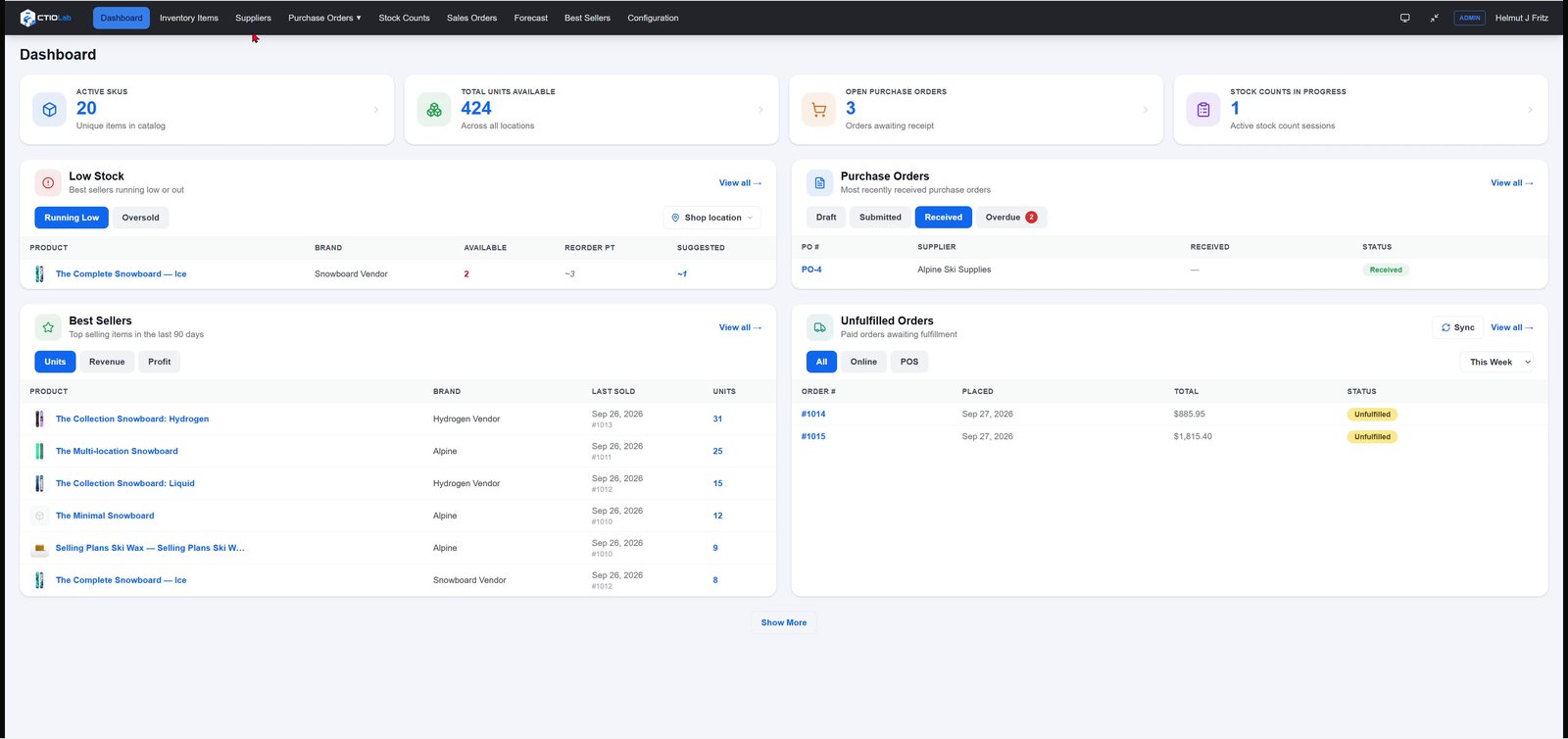
CTIOLab IMS dashboard with low stock, purchase orders, best sellers and unfulfilled orders

Everything between the sale and the reorder

Replace reorder spreadsheets with one app that reads your Shopify sales and stock, and writes stock changes straight back.

Forecast what to reorder

Buy, OK or Overstocked for every item, based on your own sales, lead times and stock on hand.

Purchase orders

Build orders from a supplier's items, email a PDF to your supplier and track expected deliveries.

Barcode receiving

Receive by scan, a whole shipment at once, or line by line. Shopify stock updates right away.

Stock counts

Scan to count by location, review what's uncounted, then update Shopify in one step.

Suppliers

Import your vendor list from a spreadsheet, including a QuickBooks export, and track spend per supplier.

Dashboard & best sellers

Low stock, overdue deliveries, unfulfilled orders and top sellers by units, revenue or profit.

Forecasts built from your own sales

Every item is ranked by profit and by how steadily it sells. You see months of supply, safety stock and a reorder point, and a clear call on what to do.

  • 30, 90 or 365 days of sales history
  • Filter by brand, supplier, product type or tags
  • Turn the proposed order into draft purchase orders per supplier in one click
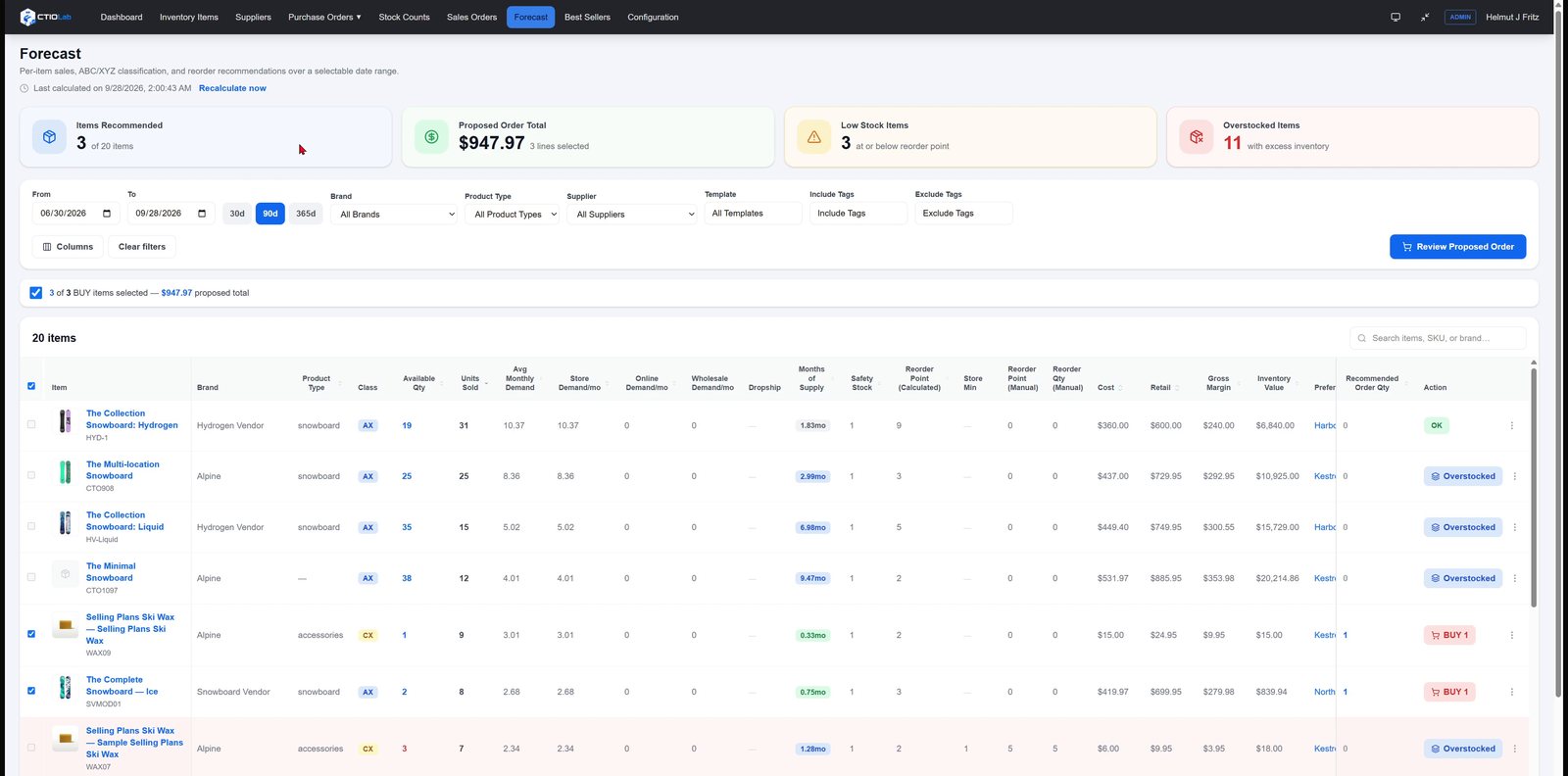
Forecast table with months of supply and Buy recommendations

Purchase orders in minutes

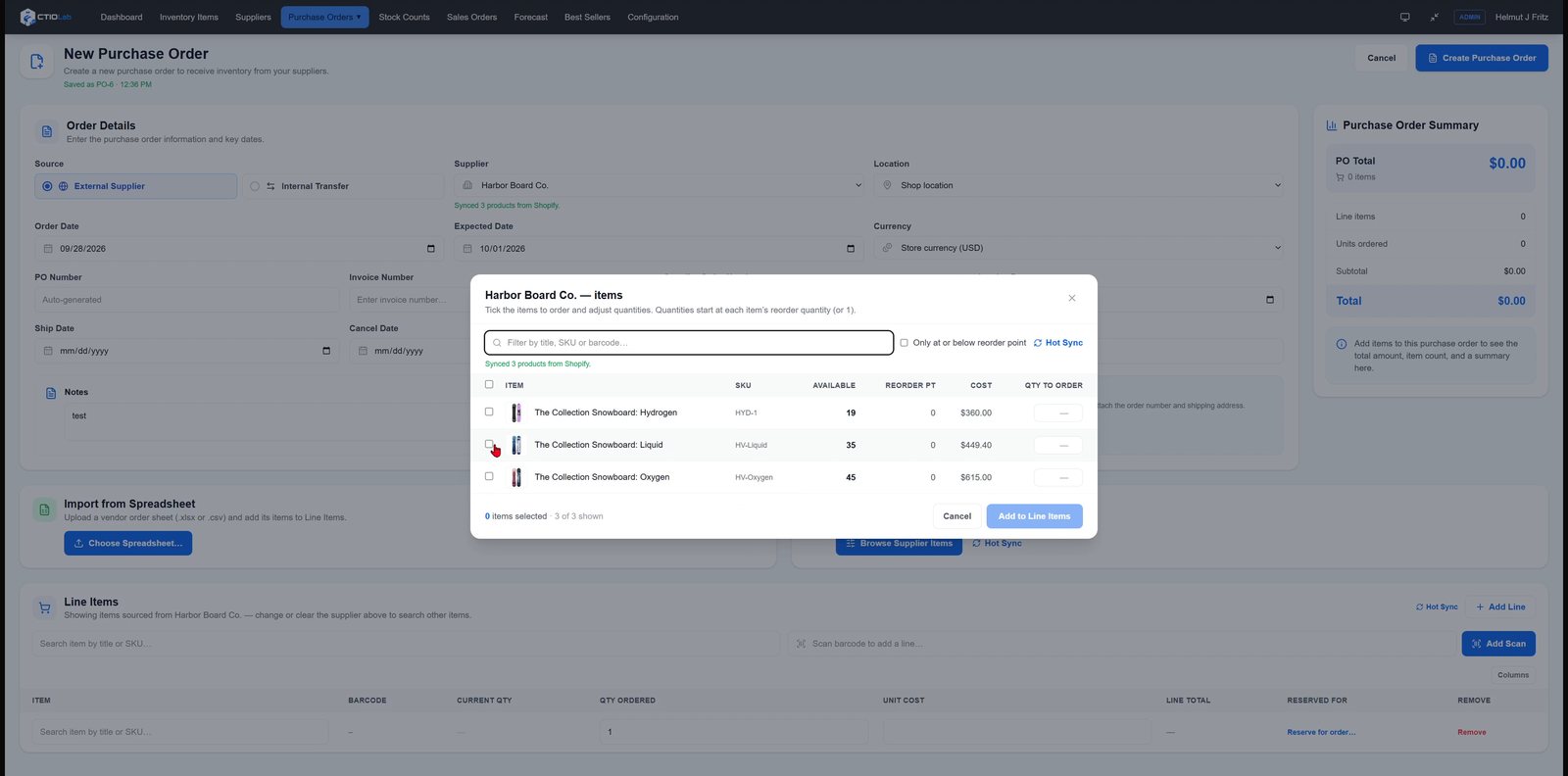
Pick a supplier and tick what you need from their items, import an order spreadsheet, or scan barcodes. Drafts save as you go.

  • Send to your supplier by email or print a PDF
  • Expected delivery, tracking and overdue alerts
  • Multi-currency and drop-ship orders
Picking a supplier's items into a new purchase order

Receive stock by scanning

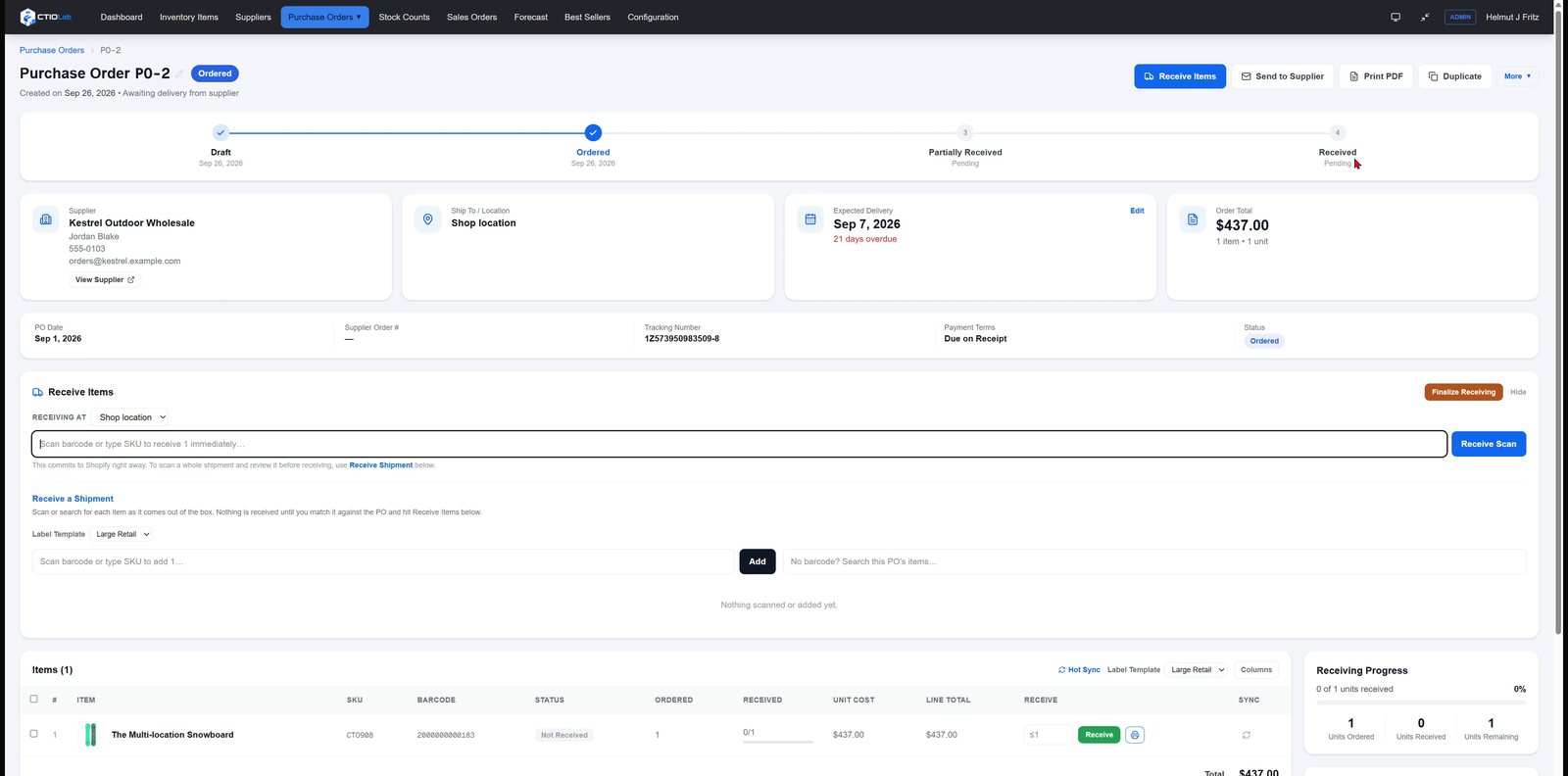
Scan items as they come out of the box, receive a whole shipment, or go line by line. Received quantities are added to Shopify at the location you choose.

  • Receiving progress per order
  • Packing slips and activity history on every order
  • Print barcode labels while you receive
Purchase order with receiving panel and progress

Stock counts that update Shopify

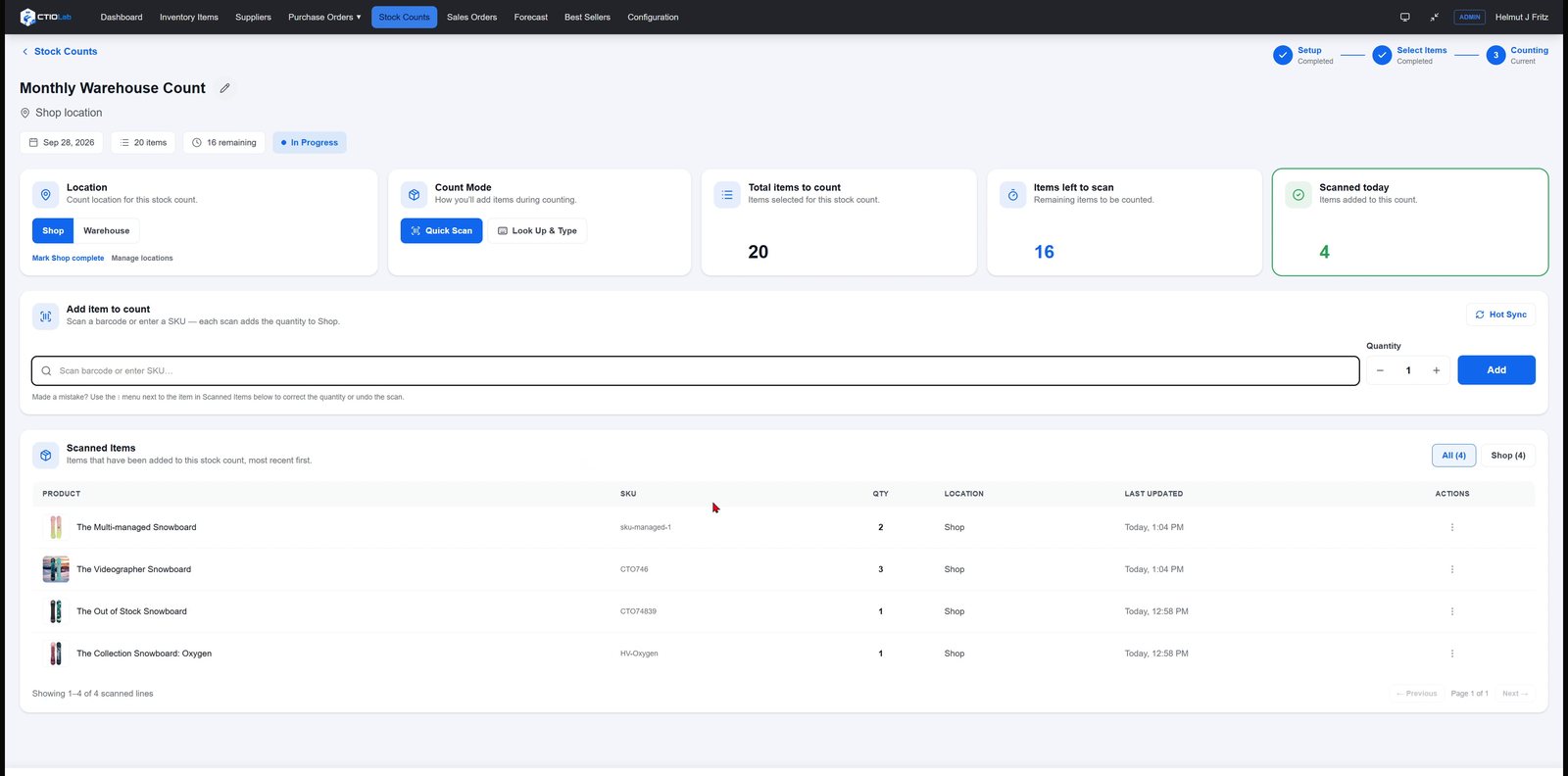
Count by location with a barcode scanner or by typing SKUs. Scanning the same item again adds one, and the latest scan stays on top.

  • Review before anything changes in Shopify
  • Update only counted items, or set uncounted items to zero
  • Mark each location complete as you go
Stock count in progress with scanned items

Your whole catalog in one place

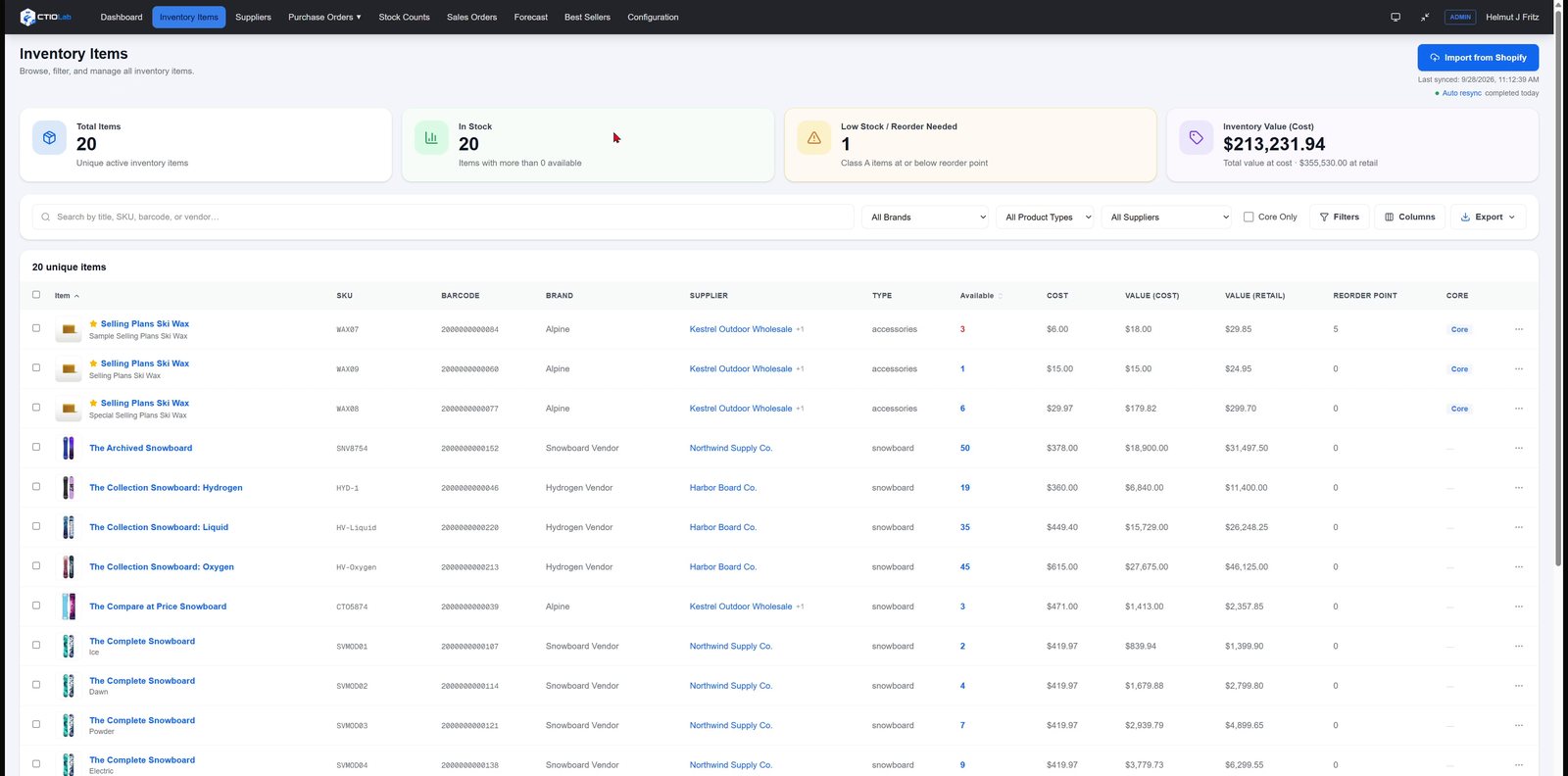
Every item synced from Shopify, with stock, cost and inventory value at cost and at retail. Search and filter it any way you need.

  • Search by title, SKU, barcode or brand
  • Filter by brand, product type or supplier, and export
  • Barcode labels, reorder settings and per-location minimums
Inventory Items list with stock, cost and value per SKU

See it in four minutes

A quick tour of the dashboard, purchase orders, stock counts and forecasting.

Built and supported in the USA

CTIOLab is a US company. The app is built here, and when you email us, the people who built it answer.

Contact support

Simple pricing, every feature included

Plans differ only by the number of active SKUs. Every plan starts with a 14-day free trial.

Starter · $19/mo

Up to 1,000 active SKUs

Growth · $49/mo

Up to 10,000 active SKUs

Pro · $99/mo

Unlimited active SKUs

See full pricing details →

Coming soon to the Shopify App Store

CTIOLab IMS is in Shopify's app review. Leave us a note and we'll tell you the day it's live.